<?xml version="1.0" encoding="UTF-8"?> <rss
version="2.0"
xmlns:content="http://purl.org/rss/1.0/modules/content/"
xmlns:wfw="http://wellformedweb.org/CommentAPI/"
xmlns:dc="http://purl.org/dc/elements/1.1/"
xmlns:atom="http://www.w3.org/2005/Atom"
xmlns:sy="http://purl.org/rss/1.0/modules/syndication/"
xmlns:slash="http://purl.org/rss/1.0/modules/slash/"
><channel><title>FAQforge &#187; Linux &amp; Unix</title> <atom:link href="http://www.faqforge.com/tag/linux-unix/feed/" rel="self" type="application/rss+xml" /><link>http://www.faqforge.com</link> <description>Just another WordPress weblog</description> <lastBuildDate>Tue, 07 Sep 2010 19:06:55 +0000</lastBuildDate> <language>en</language> <sy:updatePeriod>hourly</sy:updatePeriod> <sy:updateFrequency>1</sy:updateFrequency> <generator>http://wordpress.org/?v=3.0.1</generator> <item><title>How to prevent a Linux system user from loggin into the system</title><link>http://www.faqforge.com/linux/how-to-prevent-a-linux-system-user-from-loggin-into-the-system/</link> <comments>http://www.faqforge.com/linux/how-to-prevent-a-linux-system-user-from-loggin-into-the-system/#comments</comments> <pubDate>Fri, 23 Oct 2009 12:55:08 +0000</pubDate> <dc:creator>Till</dc:creator> <category><![CDATA[Basics]]></category> <category><![CDATA[Debian]]></category> <category><![CDATA[Distributions]]></category> <category><![CDATA[Linux & Unix]]></category> <category><![CDATA[Ubuntu]]></category> <category><![CDATA[Shell]]></category><guid
isPermaLink="false">http://www.faqforge.com/?p=257</guid> <description><![CDATA[If a linux system user is able to login on the shell or with SSH depends on its shell setting in /etc/passwd. If you want to prevent that a certain user is able to login, then set the shell either to /bin/false or /sbin/nologin. Example for Debian and Ubuntu Linux for the user with the [...]]]></description> <content:encoded><![CDATA[<div
class="tweetmeme_button" style="float: right; margin-left: 10px;"> <a
href="http://api.tweetmeme.com/share?url=http%3A%2F%2Fwww.faqforge.com%2Flinux%2Fhow-to-prevent-a-linux-system-user-from-loggin-into-the-system%2F"><br
/> <img
src="http://api.tweetmeme.com/imagebutton.gif?url=http%3A%2F%2Fwww.faqforge.com%2Flinux%2Fhow-to-prevent-a-linux-system-user-from-loggin-into-the-system%2F&amp;source=tweetmeme&amp;style=normal&amp;service=bit.ly" height="61" width="50" /><br
/> </a></div><p>If a linux system user is able to login on the shell or with SSH depends on its shell setting in <span
class="system">/etc/passwd</span>. If you want to prevent that a certain user is able to login, then set the shell either to <span
class="system">/bin/false</span> or <span
class="system">/sbin/nologin</span>.</p><p>Example for Debian and Ubuntu Linux for the user with the username &#8220;otheruser&#8221;:<br
/><p
class="command">usermod -s /bin/false otheruser</p></p><p>For Redhat, Fedora or CentOS use /sbin/nologin:<br
/><p
class="command">usermod -s /sbin/nologin otheruser</p></p><p><strong>Warning:</strong> Do not set the shell for the root user to /bin/false or /sbin/nologin!</p> ]]></content:encoded> <wfw:commentRss>http://www.faqforge.com/linux/how-to-prevent-a-linux-system-user-from-loggin-into-the-system/feed/</wfw:commentRss> <slash:comments>0</slash:comments> </item> <item><title>How to convert filenames or text to lowercase on the shell</title><link>http://www.faqforge.com/linux/how-to-convert-filenames-or-text-to-lowercase-on-the-shell/</link> <comments>http://www.faqforge.com/linux/how-to-convert-filenames-or-text-to-lowercase-on-the-shell/#comments</comments> <pubDate>Wed, 02 Sep 2009 09:57:56 +0000</pubDate> <dc:creator>admin</dc:creator> <category><![CDATA[Basics]]></category> <category><![CDATA[Debian]]></category> <category><![CDATA[Linux & Unix]]></category> <category><![CDATA[Ubuntu]]></category> <category><![CDATA[Shell]]></category><guid
isPermaLink="false">http://www.faqforge.com/?p=185</guid> <description><![CDATA[There is no simple tolower command on the bash, but with a little shell script you can convert uppercase characters to lowercase. The script uses the tr command internally for converting the chars. Create a shell script with the name tolower: vi /usr/local/bin/tolower and enter the following content: #!/bin/sh echo $1 &#124; tr &#039;[:upper:]&#039; &#039;[:lower:]&#039; [...]]]></description> <content:encoded><![CDATA[<div
class="tweetmeme_button" style="float: right; margin-left: 10px;"> <a
href="http://api.tweetmeme.com/share?url=http%3A%2F%2Fwww.faqforge.com%2Flinux%2Fhow-to-convert-filenames-or-text-to-lowercase-on-the-shell%2F"><br
/> <img
src="http://api.tweetmeme.com/imagebutton.gif?url=http%3A%2F%2Fwww.faqforge.com%2Flinux%2Fhow-to-convert-filenames-or-text-to-lowercase-on-the-shell%2F&amp;source=tweetmeme&amp;style=normal&amp;service=bit.ly" height="61" width="50" /><br
/> </a></div><p>There is no simple tolower command on the bash, but with a little shell script you can convert uppercase characters to lowercase. The script uses the tr command internally for converting the chars.</p><p>Create a shell script with the name tolower:<br
/><p
class="command">vi /usr/local/bin/tolower</p></p><p>and enter the following content:<br
/><pre><p class="system">#!/bin/sh
echo $1 | tr &#039;[:upper:]&#039; &#039;[:lower:]&#039;

Then make the script executable:
&lt;p class=&quot;command&quot;&gt;chmod +x /usr/local/bin/tolower</p></pre></p><p>An test it by executing this command on the shell:<br
/><p
class="command">tolower &quot;Thats a Test&quot;</p></p><p>will convert the string to lowercase and show the result on the shell:</p><p><span
class="system">thats a test</span></p> ]]></content:encoded> <wfw:commentRss>http://www.faqforge.com/linux/how-to-convert-filenames-or-text-to-lowercase-on-the-shell/feed/</wfw:commentRss> <slash:comments>0</slash:comments> </item> <item><title>Backup and restore mysql databases on the shell</title><link>http://www.faqforge.com/linux/distributions/debian/backup-and-restore-of-mysql-databases-on-the-shell/</link> <comments>http://www.faqforge.com/linux/distributions/debian/backup-and-restore-of-mysql-databases-on-the-shell/#comments</comments> <pubDate>Thu, 13 Aug 2009 15:17:56 +0000</pubDate> <dc:creator>admin</dc:creator> <category><![CDATA[Basics]]></category> <category><![CDATA[Debian]]></category> <category><![CDATA[MySQL]]></category> <category><![CDATA[Ubuntu]]></category> <category><![CDATA[Linux & Unix]]></category><guid
isPermaLink="false">http://www.faqforge.com/?p=147</guid> <description><![CDATA[One way to create a backup of a mysql database on the shell is to use the mysqldump command. Mysqldump creates a dump of the database in form of sql commands. Backup mysqldump -u root -p mydatabase &#38;gt; /tmp/backup_mydatabase.sql This command creates a backup of the database with the name &#8220;mydatabase&#8221; in the file /tmp/backup_mydatabase.sql [...]]]></description> <content:encoded><![CDATA[<div
class="tweetmeme_button" style="float: right; margin-left: 10px;"> <a
href="http://api.tweetmeme.com/share?url=http%3A%2F%2Fwww.faqforge.com%2Flinux%2Fdistributions%2Fdebian%2Fbackup-and-restore-of-mysql-databases-on-the-shell%2F"><br
/> <img
src="http://api.tweetmeme.com/imagebutton.gif?url=http%3A%2F%2Fwww.faqforge.com%2Flinux%2Fdistributions%2Fdebian%2Fbackup-and-restore-of-mysql-databases-on-the-shell%2F&amp;source=tweetmeme&amp;style=normal&amp;service=bit.ly" height="61" width="50" /><br
/> </a></div><p>One way to create a backup of a mysql database on the shell is to use the mysqldump command. Mysqldump creates a dump of the database in form of sql commands.</p><p><strong>Backup</strong><br
/><p
class="command">mysqldump -u root -p mydatabase &amp;gt; /tmp/backup_mydatabase.sql</p></p><p>This command creates a backup of the database with the name &#8220;mydatabase&#8221; in the file /tmp/backup_mydatabase.sql</p><p><strong>Restore</strong></p><p>To restore the backup, use the command:<br
/><p
class="command">mysql -u root -p mydatabase &amp;lt; /tmp/backup_mydatabase.sql</p></p> ]]></content:encoded> <wfw:commentRss>http://www.faqforge.com/linux/distributions/debian/backup-and-restore-of-mysql-databases-on-the-shell/feed/</wfw:commentRss> <slash:comments>0</slash:comments> </item> <item><title>How to enable verbose logging in pure-ftpd on Debian Linux</title><link>http://www.faqforge.com/linux/controlpanels/ispconfig3/how-to-enable-debugging-in-pure-ftpd-on-debian-linux/</link> <comments>http://www.faqforge.com/linux/controlpanels/ispconfig3/how-to-enable-debugging-in-pure-ftpd-on-debian-linux/#comments</comments> <pubDate>Fri, 24 Jul 2009 14:09:03 +0000</pubDate> <dc:creator>admin</dc:creator> <category><![CDATA[Debian]]></category> <category><![CDATA[FTP]]></category> <category><![CDATA[ISPConfig 3]]></category> <category><![CDATA[Linux & Unix]]></category> <category><![CDATA[pure-ftpd]]></category><guid
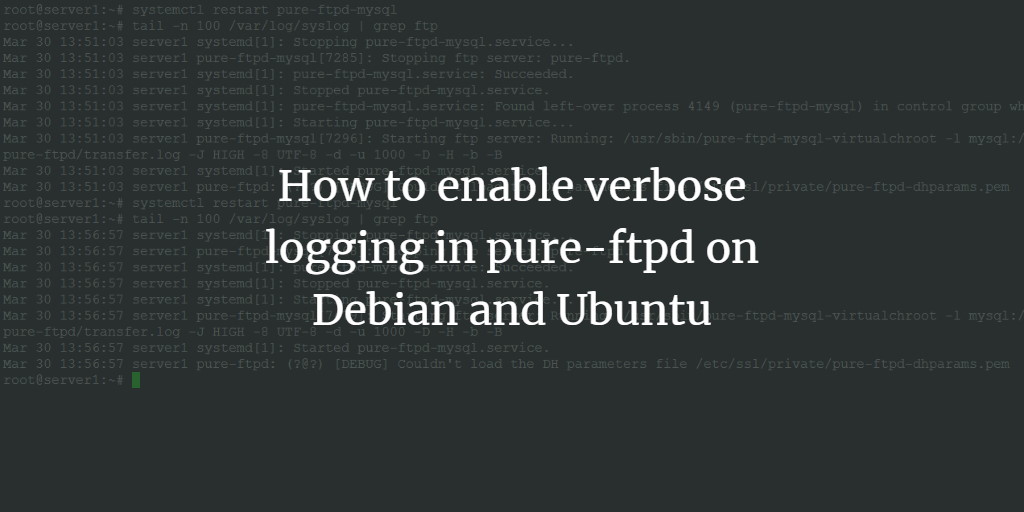
isPermaLink="false">http://www.faqforge.com/?p=3</guid> <description><![CDATA[To turn on verbose logging (e.g. to debug FTP connection or authentication problems) in  pure-ftpd FTP server on Debian and Ubuntu Linux, execute the following command as root user in the shell: echo &#039;yes&#039; &#38;gt; /etc/pure-ftpd/conf/VerboseLog and then restart pure-ftpd /etc/init.d/pure-ftpd-mysql restart The debug output will be logged to syslog. To view the log content, [...]]]></description> <content:encoded><![CDATA[<div
class="tweetmeme_button" style="float: right; margin-left: 10px;"> <a
href="http://api.tweetmeme.com/share?url=http%3A%2F%2Fwww.faqforge.com%2Flinux%2Fcontrolpanels%2Fispconfig3%2Fhow-to-enable-debugging-in-pure-ftpd-on-debian-linux%2F"><br
/> <img
src="http://api.tweetmeme.com/imagebutton.gif?url=http%3A%2F%2Fwww.faqforge.com%2Flinux%2Fcontrolpanels%2Fispconfig3%2Fhow-to-enable-debugging-in-pure-ftpd-on-debian-linux%2F&amp;source=tweetmeme&amp;style=normal&amp;service=bit.ly" height="61" width="50" /><br
/> </a></div><p>To turn on verbose logging (e.g. to debug FTP connection or authentication problems) in  pure-ftpd FTP server on Debian and Ubuntu Linux, execute the following command as root user in the shell:<br
/><p
class="command">echo &#039;yes&#039; &amp;gt; /etc/pure-ftpd/conf/VerboseLog</p></p><p>and then restart pure-ftpd<br
/><p
class="command">/etc/init.d/pure-ftpd-mysql restart</p></p><p>The debug output will be logged to syslog. To view the log content, execute:<br
/><p
class="command">tail -n 100 /var/log/syslog</p></p><p>To disable verbose logging, execute these commands:</p><p
class="command">rm -f /etc/pure-ftpd/conf/VerboseLog<br
/> /etc/init.d/pure-ftpd-mysql restart</p> ]]></content:encoded> <wfw:commentRss>http://www.faqforge.com/linux/controlpanels/ispconfig3/how-to-enable-debugging-in-pure-ftpd-on-debian-linux/feed/</wfw:commentRss> <slash:comments>0</slash:comments> </item> </channel> </rss>
<!-- Performance optimized by W3 Total Cache. Learn more: http://www.w3-edge.com/wordpress-plugins/

Minified using disk
Page Caching using disk (enhanced) (user agent is rejected)
Database Caching 11/35 queries in 0.013 seconds using disk

Served from: www.faqforge.com @ 2010-09-09 17:15:55 -->