If your Windows installation starts slower after you defragmented the hard disk, it might be necessary to run the defragmentation utility on the boot files too which were normally skipped when running the defrag utility.
Windows Disk Defragmentation for boot files
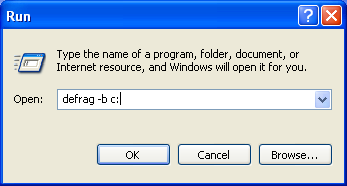
To defragment the boot files, click on "Start" > "Run..." and then enter the command:
defrag -b :c