How to delete saved passwords for network drives in Windows
Tuesday, October 27, 2009 posted by admin
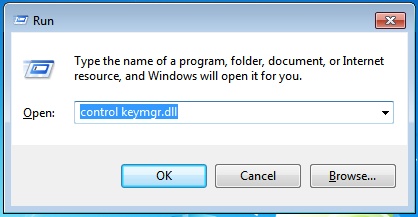
If you saved a password for a network drive in windows and want to remove it, press the keys [Windows] + [R] to open the windows command line. Then enter
control keymgr.dll
and click on “OK” to open the windows credential manager which allows you to manage and delete passwords saved in Windows.
This procedure works for Windows XP, Vista and Windows 7.

This was exactly what I was looking for today. Hopefully it works like I need it to. Thanks for posting with this tip.
Thank you very much…. this is really helpful…
When signing in for my email, I typed in address and password. I pressed yes when a yellow bar across the bottom wanted to remember the password. I had typed the incorrect user name, and I now have three usernames and passwords. Only one is correct. How do I remove the other two?
Thank you,
Jean Aksdal
Where did you log into your mail account/what program did you use? For browsers such as Firefox, you can go to the Security Preferences to see and delete saved passwords.
You have a couple of other options, Heres some more information that might be helpfull,
Windows 7 /2008 R2 – Remove Saved / Cached Network Passwords
Pete
PeteNetLive
Sir,
I have a shared drive on my computer running on W7. I was sharing this drive w/ a few computers running both w/ W7 and XP. I changed my password for the user name I was sharing with. I can change the password on the computers running w/ W7 but can not change it on the computer running with XP. Please help me to change the password for the computers running with XP.
Regards,
Engr. Nurul Islam
Very nice sir
Sir the one problem i have faced… i have not saved any password but when i type ip for next computer … it easily logged in, never asked to me username password. i check control keymgr.dll no password saved. pls help me about that
Finally! I needed to test a Linux share drive with no creds and this helped me eliminate the saved password. Thanks!
really it is best.
thank you sir..
Hi,
It was as i was looking thx a lot
really it is working..thanq..
Thanks for this – worked a treat!
Deleting a SINGLE username and password
When you are in the login/password form field where IE8 autosuggests the memorized password,
Click on the unwanted username then just press DELETE key on your keyboard and IE8 will propose to delete the password and only this one !!!
This will work in Windows 7 too….
Your a bit of a star!
not working, could not find anything like that in windows 7, any other suggestions
i prepared one shared network drive for couple of computers using xp machine.
and made two folders, one public with no password, and the other is protected by password. i browsed both folders normally. every thing was fine until i restarted my computer. the private folder is not accessible from xp, but accessible from win7 computer. i tried your method but no password is saved.
xp is not giving me any option to enter the password again
please help
thanks for this solution, it’s work
This is really helpful. Thanks for such valuable info.
thank you so much.this is really helpfull
Great help.
other command that worked for me: rundll32.exe keymgr.dll, KRShowKeyMgr not tested with win7..