<?xml version="1.0" encoding="UTF-8"?> <rss
version="2.0"
xmlns:content="http://purl.org/rss/1.0/modules/content/"
xmlns:wfw="http://wellformedweb.org/CommentAPI/"
xmlns:dc="http://purl.org/dc/elements/1.1/"
xmlns:atom="http://www.w3.org/2005/Atom"
xmlns:sy="http://purl.org/rss/1.0/modules/syndication/"
xmlns:slash="http://purl.org/rss/1.0/modules/slash/"
><channel><title>FAQforge &#187; pure-ftpd</title> <atom:link href="http://www.faqforge.com/tag/pure-ftpd/feed/" rel="self" type="application/rss+xml" /><link>http://www.faqforge.com</link> <description>Just another WordPress weblog</description> <lastBuildDate>Fri, 03 Feb 2012 13:47:23 +0000</lastBuildDate> <language>en</language> <sy:updatePeriod>hourly</sy:updatePeriod> <sy:updateFrequency>1</sy:updateFrequency> <generator>http://wordpress.org/?v=3.3.1</generator> <item><title>How to build a pure-ftpd Debian package for OpenVZ virtual machines (without capabilities enabled)</title><link>http://www.faqforge.com/linux/controlpanels/how-to-build-a-pure-ftpd-debian-package-for-openvz-virtual-machines-without-capabilities-enabled/</link> <comments>http://www.faqforge.com/linux/controlpanels/how-to-build-a-pure-ftpd-debian-package-for-openvz-virtual-machines-without-capabilities-enabled/#comments</comments> <pubDate>Thu, 03 Jun 2010 11:40:27 +0000</pubDate> <dc:creator>Till</dc:creator> <category><![CDATA[Controlpanels]]></category> <category><![CDATA[Debian]]></category> <category><![CDATA[Distributions]]></category> <category><![CDATA[FTP]]></category> <category><![CDATA[ISPConfig 3]]></category> <category><![CDATA[Server]]></category> <category><![CDATA[pure-ftpd]]></category><guid
isPermaLink="false">http://www.faqforge.com/?p=466</guid> <description><![CDATA[The pure-ftpd package that comes with Debian 5.0 (Lenny) does not start in a OpenVZ virtual machine as it is compiled with &#8220;capabilities&#8221;. This tutorial describes the steps to build a pure-ftpd Debian package with capabilities disabled: Make a temporary directory mkdir /usr/src/pure-ftpd cd /usr/src/pure-ftpd Download the source package for pure-ftpd apt-get source pure-ftpd apt-get [...]]]></description> <content:encoded><![CDATA[<p>The pure-ftpd package that comes with Debian 5.0 (Lenny) does not start in a OpenVZ virtual machine as it is compiled with &#8220;capabilities&#8221;. This tutorial describes the steps to build a pure-ftpd Debian package with capabilities disabled:</p><p>Make a temporary directory</p><p
class="command">mkdir /usr/src/pure-ftpd<br
/> cd /usr/src/pure-ftpd</p><p>Download the source package for pure-ftpd</p><p
class="command">apt-get source pure-ftpd<br
/> apt-get build-dep pure-ftpd</p><p>Edit the rules file and add the switch &#8220;&#8211;without-capabilities&#8221;</p><p
class="command">cd pure-ftpd-1.0.21/debian<br
/> nano rules</p><p>Change the line:</p><p
class="system">optflags=&#8211;with-everything &#8211;with-largefile &#8211;with-pam &#8211;with-privsep &#8211;with-tls</p><p>to (one Line!):</p><p
class="system">optflags=&#8211;with-everything &#8211;with-largefile &#8211;with-pam &#8211;with-privsep &#8211;with-tls &#8211;without-capabilities</p><p>Build the Debian (.deb) package</p><p
class="command">cd ..<br
/> dpkg-buildpackage -uc -b</p><p>and install it</p><p
class="command">cd ..<br
/> dpkg -i pure-ftpd-common_1.0.21-11.4_all.deb pure-ftpd-mysql_1.0.21-11.4_i386.deb<br
/> /etc/init.d/pure-ftpd-mysql restart</p><p>To prevent that apt overwrites these manually compiled packages with the default packages from the Debian repositorys, execute these commands:</p><p
class="command">echo &#8216;pure-ftpd-common hold&#8217; | dpkg &#8211;set-selections<br
/> echo &#8216;pure-ftpd-mysql hold&#8217; | dpkg &#8211;set-selections</p><p>This tutorial is based on the german tutorial from <a
href="http://www.howtoforge.de/howto/pureftpd-ohne-capabilities-unter-debian-lenny-selbst-bauen/" target="_blank">planet_fox</a></p> ]]></content:encoded> <wfw:commentRss>http://www.faqforge.com/linux/controlpanels/how-to-build-a-pure-ftpd-debian-package-for-openvz-virtual-machines-without-capabilities-enabled/feed/</wfw:commentRss> <slash:comments>4</slash:comments> </item> <item><title>How to display hidden files with pure-ftpd on Debian and Ubuntu Linux</title><link>http://www.faqforge.com/linux/controlpanels/ispconfig3/how-to-display-hidden-files-with-pure-ftpd-on-debian-an-ubuntu-linux/</link> <comments>http://www.faqforge.com/linux/controlpanels/ispconfig3/how-to-display-hidden-files-with-pure-ftpd-on-debian-an-ubuntu-linux/#comments</comments> <pubDate>Thu, 15 Oct 2009 11:48:21 +0000</pubDate> <dc:creator>Till</dc:creator> <category><![CDATA[FTP]]></category> <category><![CDATA[ISPConfig 3]]></category> <category><![CDATA[pure-ftpd]]></category><guid
isPermaLink="false">http://www.faqforge.com/?p=232</guid> <description><![CDATA[If hidden files (files that start with a dot like .htaccess, .bash_history, .profile or .ssh) are not displayed in your FTP client, then they are most likely disabled in the FTP server. To enable hidden files in pure-ftpd on Debian and Ubuntu Linux, execute this command: echo &#8220;yes&#8221; > /etc/pure-ftpd/conf/DisplayDotFiles and then restart pureftpd.]]></description> <content:encoded><![CDATA[<p>If hidden files (files that start with a dot like .htaccess, .bash_history, .profile or .ssh) are not displayed in your FTP client, then they are most likely disabled in the FTP server. To enable hidden files in pure-ftpd on Debian and Ubuntu Linux, execute this command:</p><p
class="command">echo &#8220;yes&#8221; > /etc/pure-ftpd/conf/DisplayDotFiles</p><p>and then restart pureftpd.</p> ]]></content:encoded> <wfw:commentRss>http://www.faqforge.com/linux/controlpanels/ispconfig3/how-to-display-hidden-files-with-pure-ftpd-on-debian-an-ubuntu-linux/feed/</wfw:commentRss> <slash:comments>2</slash:comments> </item> <item><title>How to set the PassivePortRange in pure-ftpd on Debian and Ubuntu Linux</title><link>http://www.faqforge.com/linux/controlpanels/ispconfig3/how-to-set-the-passiveportrange-in-pure-ftpd-on-denian-and-ubuntu-linux/</link> <comments>http://www.faqforge.com/linux/controlpanels/ispconfig3/how-to-set-the-passiveportrange-in-pure-ftpd-on-denian-and-ubuntu-linux/#comments</comments> <pubDate>Fri, 09 Oct 2009 12:58:02 +0000</pubDate> <dc:creator>Till</dc:creator> <category><![CDATA[Debian]]></category> <category><![CDATA[ISPConfig 3]]></category> <category><![CDATA[Ubuntu]]></category> <category><![CDATA[firewall]]></category> <category><![CDATA[pure-ftpd]]></category><guid
isPermaLink="false">http://www.faqforge.com/?p=229</guid> <description><![CDATA[If you run a firewall on your Linux server and want to use passive FTP connections, you have to define the passive port range in pure-ftpd and your firewall to ensure that the connections dont get blocked. The following example is for pure-ftpd on Debian or Ubuntu Linux and ISPConfig 3: 1) Configure pure-ftpd echo [...]]]></description> <content:encoded><![CDATA[<p>If you run a firewall on your Linux server and want to use passive FTP connections, you have to define the passive port range in pure-ftpd and your firewall to ensure that the connections dont get blocked. The following example is for pure-ftpd on Debian or Ubuntu Linux and ISPConfig 3:</p><p>1) Configure pure-ftpd</p><p
class="command">echo &#8220;40110 40210&#8243; > /etc/pure-ftpd/conf/PassivePortRange<br
/> /etc/init.d/pure-ftpd-mysql restart</p><p>2) Configure the firewall. If you use ISPConfig 3 on my server to configure the bastille firewall, you can add the nescessera port range in the ISPConfig firewall settings.</p><p>Change the list of Open TCP ports from:</p><p
class="command">20,21,22,25,53,80,110,143,443,3306,8080,10000</p><p>to:</p><p
class="command">20,21,22,25,53,80,110,143,443,3306,8080,10000,40110:40210</p><p>and then click on &#8220;Save&#8221;.</p> ]]></content:encoded> <wfw:commentRss>http://www.faqforge.com/linux/controlpanels/ispconfig3/how-to-set-the-passiveportrange-in-pure-ftpd-on-denian-and-ubuntu-linux/feed/</wfw:commentRss> <slash:comments>4</slash:comments> </item> <item><title>pure-ftpd does not show more then 2000 files on Debian and Ubuntu</title><link>http://www.faqforge.com/linux/controlpanels/ispconfig3/pure-ftpd-does-not-show-more-then-2000-files-on-debian-and-ubuntu/</link> <comments>http://www.faqforge.com/linux/controlpanels/ispconfig3/pure-ftpd-does-not-show-more-then-2000-files-on-debian-and-ubuntu/#comments</comments> <pubDate>Fri, 04 Sep 2009 10:57:37 +0000</pubDate> <dc:creator>admin</dc:creator> <category><![CDATA[FTP]]></category> <category><![CDATA[ISPConfig 3]]></category> <category><![CDATA[pure-ftpd]]></category><guid
isPermaLink="false">http://www.faqforge.com/?p=191</guid> <description><![CDATA[The pure-ftp daemon by default has a recursion limit of 2000 files, this prevents the server from showing more then 2000 files when you browse a directory with a FTP client. To expand this Limit to e.g 5000 files, create or edit the file /etc/pure-ftpd/conf/LimitRecursion and add a line &#8220;5000 500&#8243;: echo &#8220;5000 500&#8243; > [...]]]></description> <content:encoded><![CDATA[<p>The pure-ftp daemon by default has a recursion limit of 2000 files, this prevents the server from showing more then 2000 files when you browse a directory with a FTP client. To expand this Limit to e.g 5000 files, create or edit the file <span
class="system">/etc/pure-ftpd/conf/LimitRecursion</span> and add a line &#8220;5000 500&#8243;:</p><p
class="command">echo &#8220;5000 500&#8243; > /etc/pure-ftpd/conf/LimitRecursion</p><p>and then restart pureftpd:</p><p
class="command">/etc/init.d/pure-ftpd-mysql restart</p> ]]></content:encoded> <wfw:commentRss>http://www.faqforge.com/linux/controlpanels/ispconfig3/pure-ftpd-does-not-show-more-then-2000-files-on-debian-and-ubuntu/feed/</wfw:commentRss> <slash:comments>2</slash:comments> </item> <item><title>How to speed up logins in pure-ftpd on Debian or Ubuntu Linux by disable name resolving</title><link>http://www.faqforge.com/linux/controlpanels/ispconfig3/how-to-speed-up-logins-in-pure-ftpd-on-debian-or-ubuntu-linux-by-disable-name-rsolving/</link> <comments>http://www.faqforge.com/linux/controlpanels/ispconfig3/how-to-speed-up-logins-in-pure-ftpd-on-debian-or-ubuntu-linux-by-disable-name-rsolving/#comments</comments> <pubDate>Sat, 01 Aug 2009 11:02:07 +0000</pubDate> <dc:creator>Till</dc:creator> <category><![CDATA[Debian]]></category> <category><![CDATA[FTP]]></category> <category><![CDATA[ISPConfig 3]]></category> <category><![CDATA[Ubuntu]]></category> <category><![CDATA[pure-ftpd]]></category><guid
isPermaLink="false">http://www.faqforge.com/?p=88</guid> <description><![CDATA[If you experience problems with slow logins in pure-ftpd, this is often caused by a problem with the resolving of the clients hsotname. This happens e.g. when you run a FTP server in your intranet and the hostname of the client computer does not exist in DNS. To disable name resolving in pureftpd, run the [...]]]></description> <content:encoded><![CDATA[<p>If you experience problems with slow logins in pure-ftpd, this is often caused by a problem with the resolving of the clients hsotname. This happens e.g. when you run a FTP server in your intranet and the hostname of the client computer does not exist in DNS. To disable name resolving in pureftpd, run the command:</p><p
class="command">echo &#8216;yes&#8217; > /etc/pure-ftpd/conf/DontResolve</p><p>and then restart pure-ftpd</p><p
class="command">/etc/init.d/pure-ftpd-mysql restart</p><p>Disabling name resolving also fixes the following error message:</p><p
class="system">Jul 24 16:26:28 ispconfig pure-ftpd: (?@?) [ERROR] Sorry, invalid address given</p> ]]></content:encoded> <wfw:commentRss>http://www.faqforge.com/linux/controlpanels/ispconfig3/how-to-speed-up-logins-in-pure-ftpd-on-debian-or-ubuntu-linux-by-disable-name-rsolving/feed/</wfw:commentRss> <slash:comments>4</slash:comments> </item> <item><title>How to enable verbose logging in pure-ftpd on Debian Linux</title><link>http://www.faqforge.com/linux/controlpanels/ispconfig3/how-to-enable-debugging-in-pure-ftpd-on-debian-linux/</link> <comments>http://www.faqforge.com/linux/controlpanels/ispconfig3/how-to-enable-debugging-in-pure-ftpd-on-debian-linux/#comments</comments> <pubDate>Fri, 24 Jul 2009 14:09:03 +0000</pubDate> <dc:creator>admin</dc:creator> <category><![CDATA[Debian]]></category> <category><![CDATA[FTP]]></category> <category><![CDATA[ISPConfig 3]]></category> <category><![CDATA[Linux & Unix]]></category> <category><![CDATA[pure-ftpd]]></category><guid
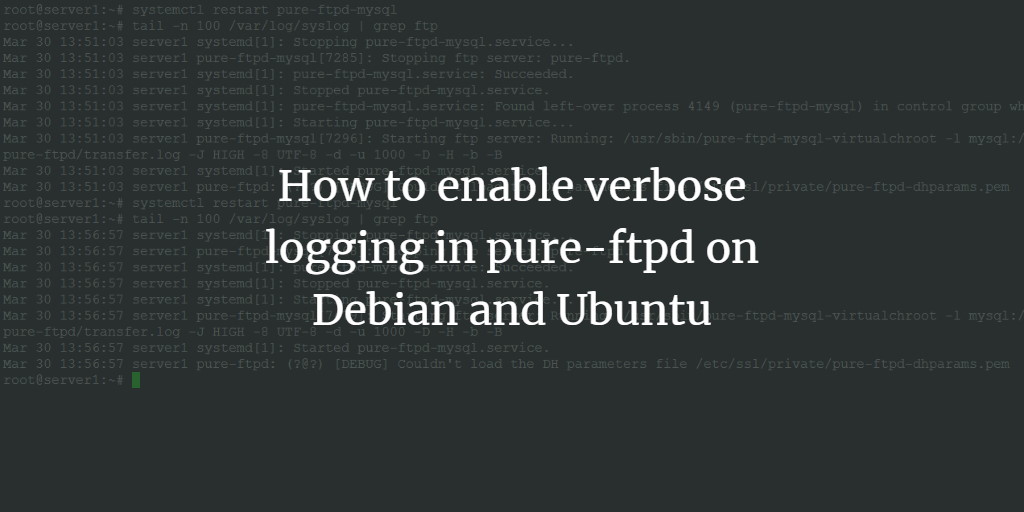
isPermaLink="false">http://www.faqforge.com/?p=3</guid> <description><![CDATA[To turn on verbose logging (e.g. to debug FTP connection or authentication problems) in  pure-ftpd FTP server on Debian and Ubuntu Linux, execute the following command as root user in the shell: echo &#8216;yes&#8217; > /etc/pure-ftpd/conf/VerboseLog and then restart pure-ftpd /etc/init.d/pure-ftpd-mysql restart The debug output will be logged to syslog. To view the log content, [...]]]></description> <content:encoded><![CDATA[<p>To turn on verbose logging (e.g. to debug FTP connection or authentication problems) in  pure-ftpd FTP server on Debian and Ubuntu Linux, execute the following command as root user in the shell:</p><p
class="command">echo &#8216;yes&#8217; > /etc/pure-ftpd/conf/VerboseLog</p><p>and then restart pure-ftpd</p><p
class="command">/etc/init.d/pure-ftpd-mysql restart</p><p>The debug output will be logged to syslog. To view the log content, execute:</p><p
class="command">tail -n 100 /var/log/syslog</p><p>To disable verbose logging, execute these commands:</p><p
class="command">rm -f /etc/pure-ftpd/conf/VerboseLog<br
/> /etc/init.d/pure-ftpd-mysql restart</p> ]]></content:encoded> <wfw:commentRss>http://www.faqforge.com/linux/controlpanels/ispconfig3/how-to-enable-debugging-in-pure-ftpd-on-debian-linux/feed/</wfw:commentRss> <slash:comments>4</slash:comments> </item> </channel> </rss>
<!-- Performance optimized by W3 Total Cache. Learn more: http://www.w3-edge.com/wordpress-plugins/

Minified using disk: basic
Page Caching using disk: enhanced (User agent is rejected)
Database Caching 1/30 queries in 0.039 seconds using disk: basic
Object Caching 1004/1070 objects using disk: basic

Served from: www.faqforge.com @ 2012-02-04 23:18:15 -->